
Version Number: v1.0.0
Published Date: 09 Dec 2025
____________________________________________________________________________
Viewing Assigned Roles
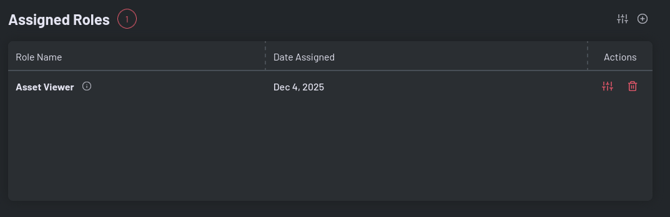
On a user’s detail page, the Assigned Roles section displays:
- Role Name – Clickable link to view role details.
- Role Description – Hover over the info icon for full description.
- Date Assigned – When the role was assigned.
- Actions – Manage or remove the role.
Features:
- View all roles assigned to the user.
- Quick navigation to role management.