
Version Number: v1.0.3
Published Date: 09 Oct 2026
____________________________________________________________________________
Only accounts with the Org Admin role are able to make changes to user accounts.
If you are using SSO, you must remove or unassign access in your identify provider (IdP) before proceeding with the steps below.
If the automatic user provisioning via SSO is enabled for your organization, deleting the account only in Edgescan without revoking IdP access would allow the user to automatically recreate an account upon their next SSO sign-in.
If a user is disabled in SSO/IdP, and not in Edgescan
- Their email will remain active on notification lists and automated event triggers.
- Any active API tokens associated with their account will remain functional.
Once a user has their account disabled in both, all API tokens, notifications, automated events are disabled.
-
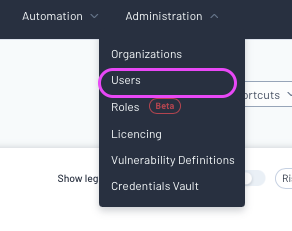
To remove a user, click the administration section and select users
-
Select the user you wish to remove
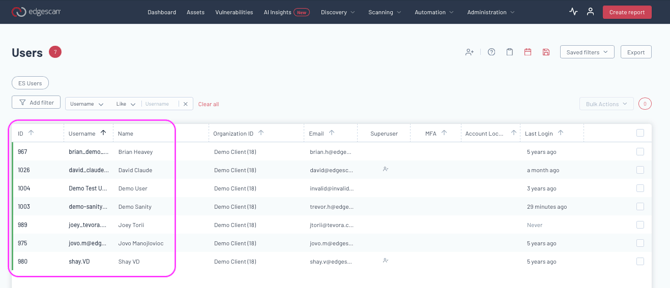
- You have the following options for removing or restrict a user account.
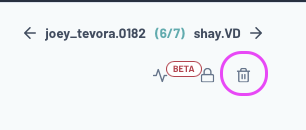
- Click the bin icon to delete their account.
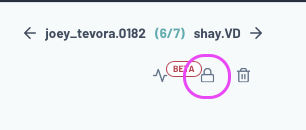
- Click the lock icon to freeze their account
- Remove their roles or permissions
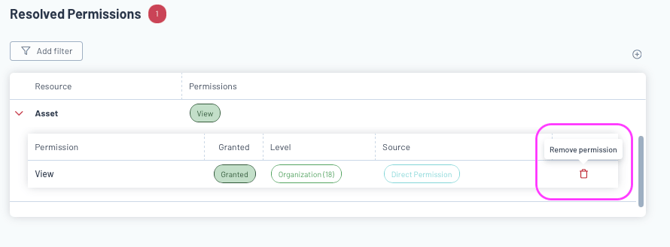
- Click the bin icon to delete their account.
- Once you click confirm, the permissions or account changes will be reflected.