
Version Number: v1.0.0
Published Date: 20th Mar 2026
____________________________________________________________________________
What is a licence suggestion?
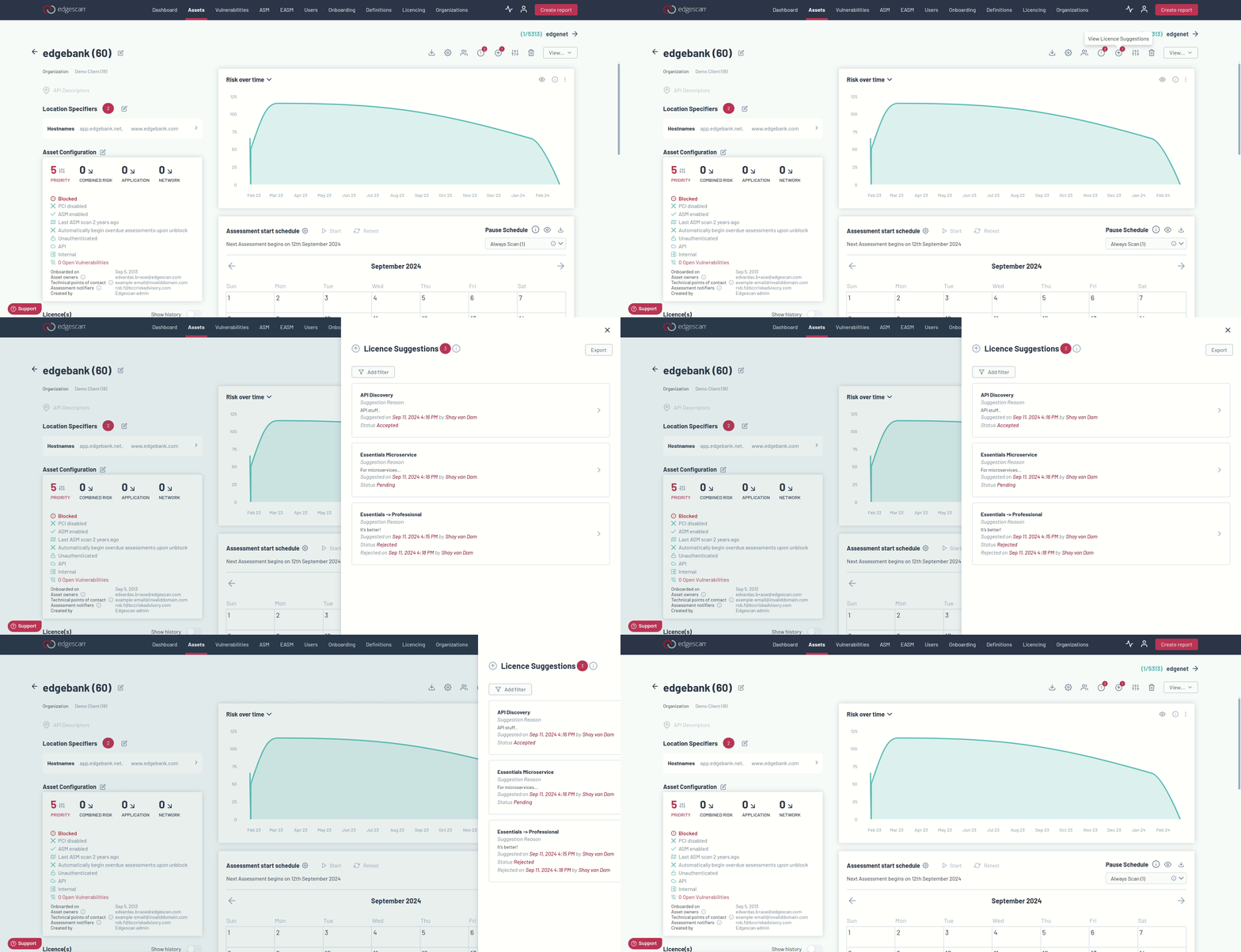
A licence suggestion is a recommendation provided to you after an asset has been reviewed. If an asset does not have a licence, or it was found that you are not using the most effective licence then a licence will be suggested. Suggestions are based on all the asset's available data, including the asset's metadata. You can view all current and previous licence suggestions, update the suggestion status, and provide a rejection reason through the edgescan portal in the Licence Suggestion Side Panel. This can be accessed via an icon button on the asset list page or on an individual assets details page.
Asset Details Page
To open the side panel on the asset details page, you can click on the Asset Blocker Icon in the Top of the page. The icon shows a count of how many pending licence suggestions the current asset has.
Asset List Page
Here you can access the Licence Suggestions Side Panel by clicking on the icon. The count above the icon return the amount of licence suggestions that a user has access to. This Licence Suggestion list returns all of your licence suggestions with links to their assets. It is possible to view, update status, and to provide a reason if rejecting the suggestions.
Filtering Licence Suggestions
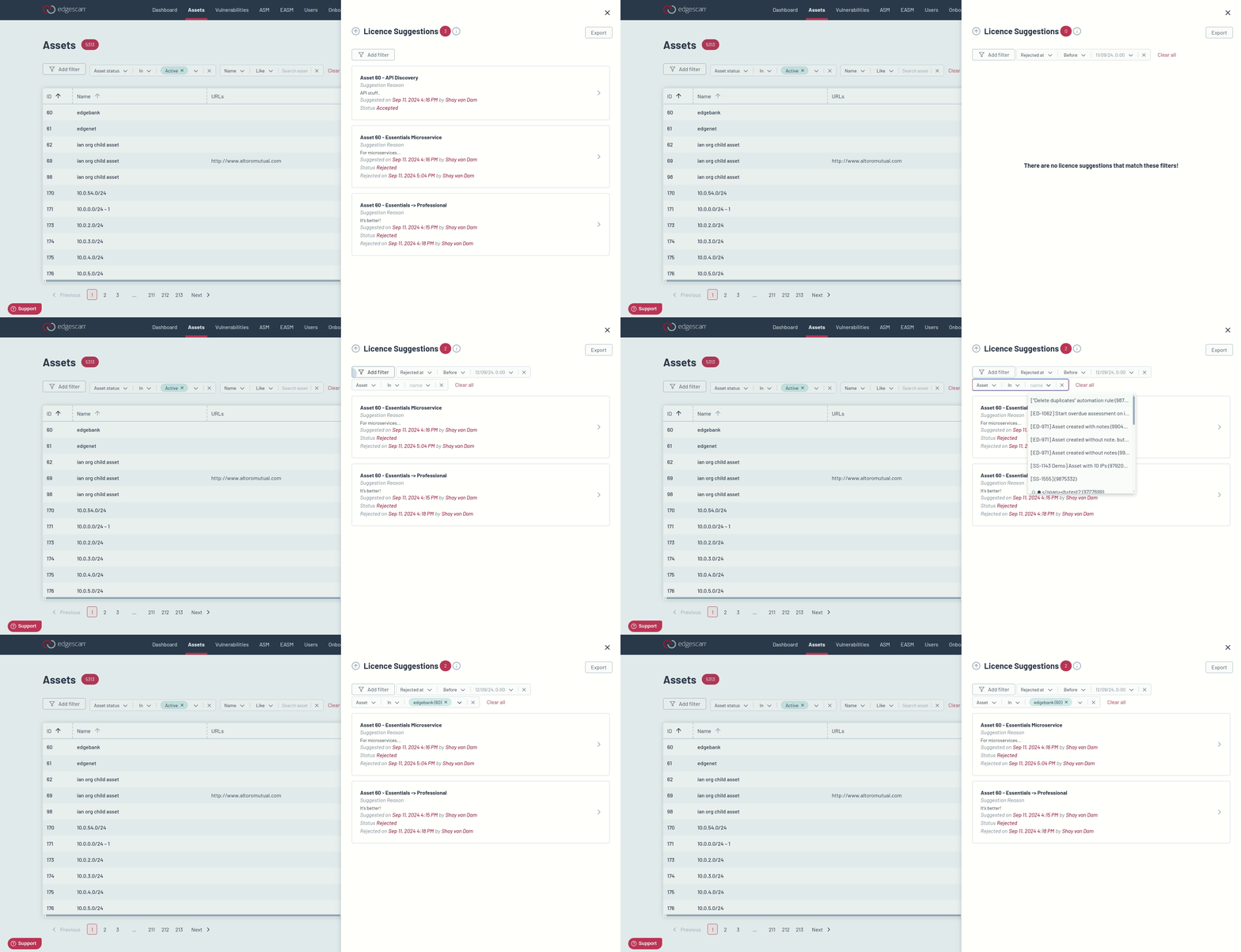
The licence suggestion filter is on both the Asset Show page and the list page. It is possible to filter by one or multiple of the following; Asset Id, Organization Id, Status, Created at, and Rejected at.
Exporting Licence Suggestions
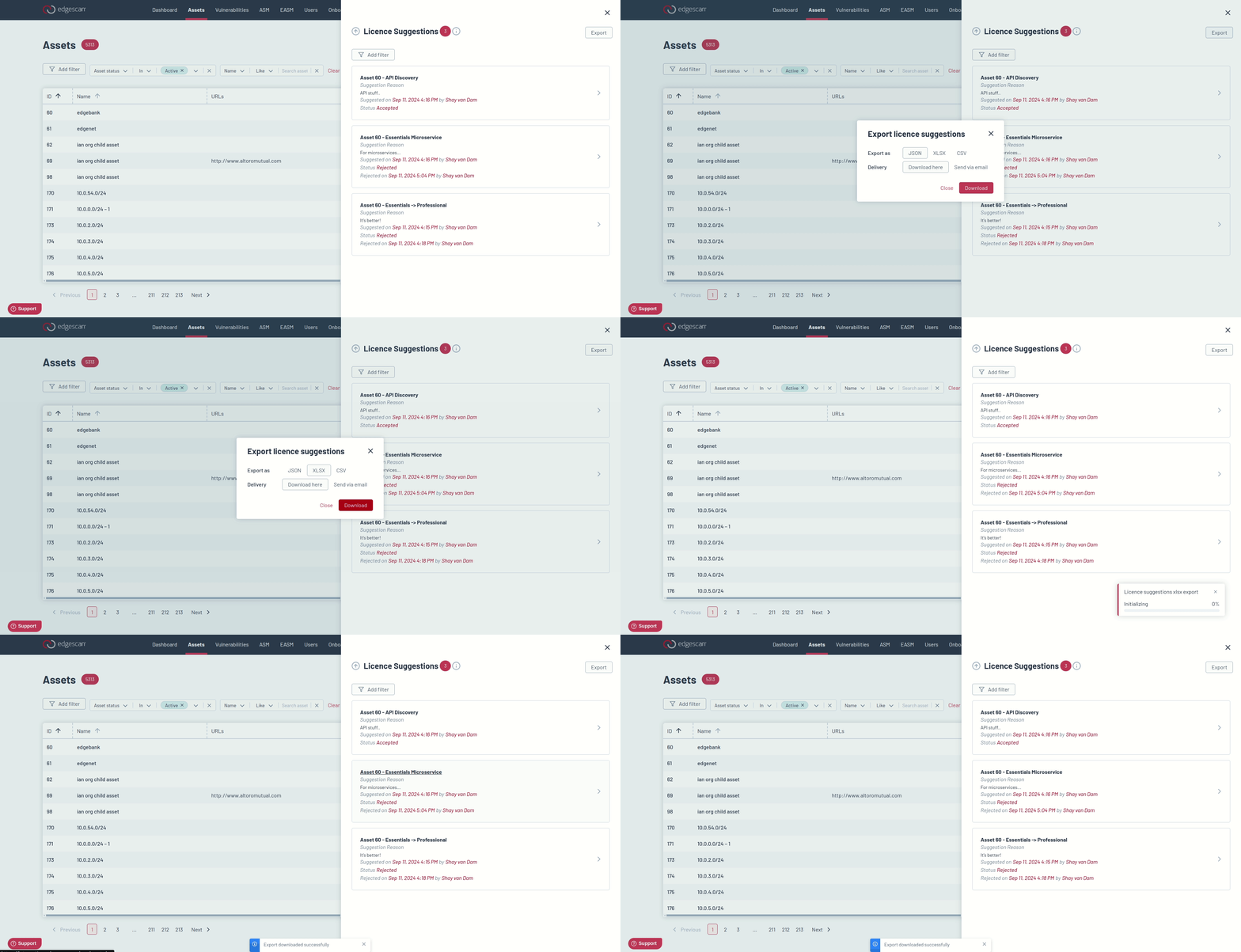
The licence suggestions export button is available in the Licence Suggestions Side Panel. If accessing the side panel from the Asset List Page then the export will include all the licence suggestions, and if accessing it from the Asset Details Page then the export will just include the licence suggestions specific to that asset. Filters are not accounted for when exporting.