
Version Number: v1.0.1
Published Date: 14 Oct 2026
____________________________________________________________________________
The Credentials Vault stores the credentials Edgescan uses for authenticated testing. When a credential is no longer needed, you can delete it from the vault, provided it isn't assigned to any assets.
Before you begin
Each credential in the Credentials Vault shows how many assets it is used by, for example Used by 2 assets. A credential can only be deleted when it is used by 0 assets. Credentials that are linked to assets cannot be deleted.
Deleting a credential
- Open the Credentials Vault.
- Select the credential you want to remove from the list on the left.
- Check the header shows Used by 0 assets.
- Select the delete (bin) icon at the top right of the credential, next to Cancel and Save.
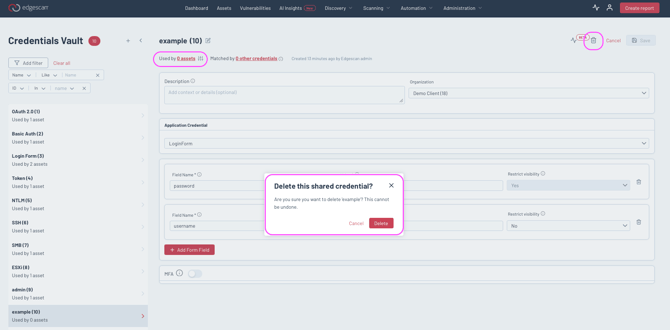
Note: The bin icons beside each field inside the credential remove that individual field, not the credential. To delete the whole credential, use the bin icon at the top right of the page.
If you can't delete a credential
If a credential is used by one or more assets, the delete icon is disabled. Hover over it and Edgescan explains why: "Cannot delete this credential because it is linked to other assets."
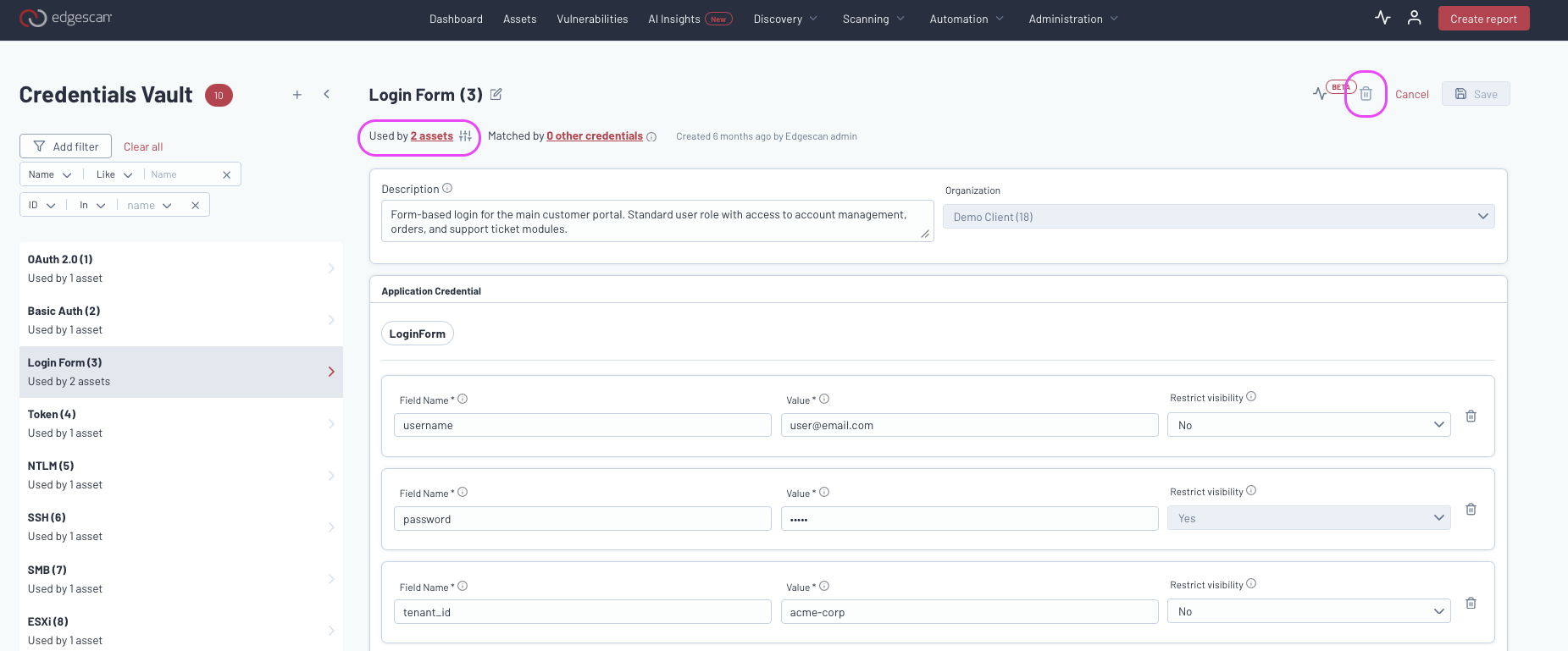
To delete it:
- Select the Used by link in the credential header to see which assets are using it.
- If those assets still need authenticated testing, assign them a replacement credential first so their scans are not affected.
- Remove this credential from each of those assets.
- Return to the credential in the Credentials Vault. Once it shows Used by 0 assets, the delete icon becomes available.